 kin
One place for your records.
Import a prescription image or a laboratory PDF. Save private Drive and DICOM references without copying large files into Kin.
Lab PDF, JPEG or PNG · up to 5 MBPersonal health records, shared with care
Prescriptions, laboratory reports and large-file links in one private workspace. Review extracted details, then choose what family or emergency responders can see.
Open source. Built for Android. Shared records open in a browser.
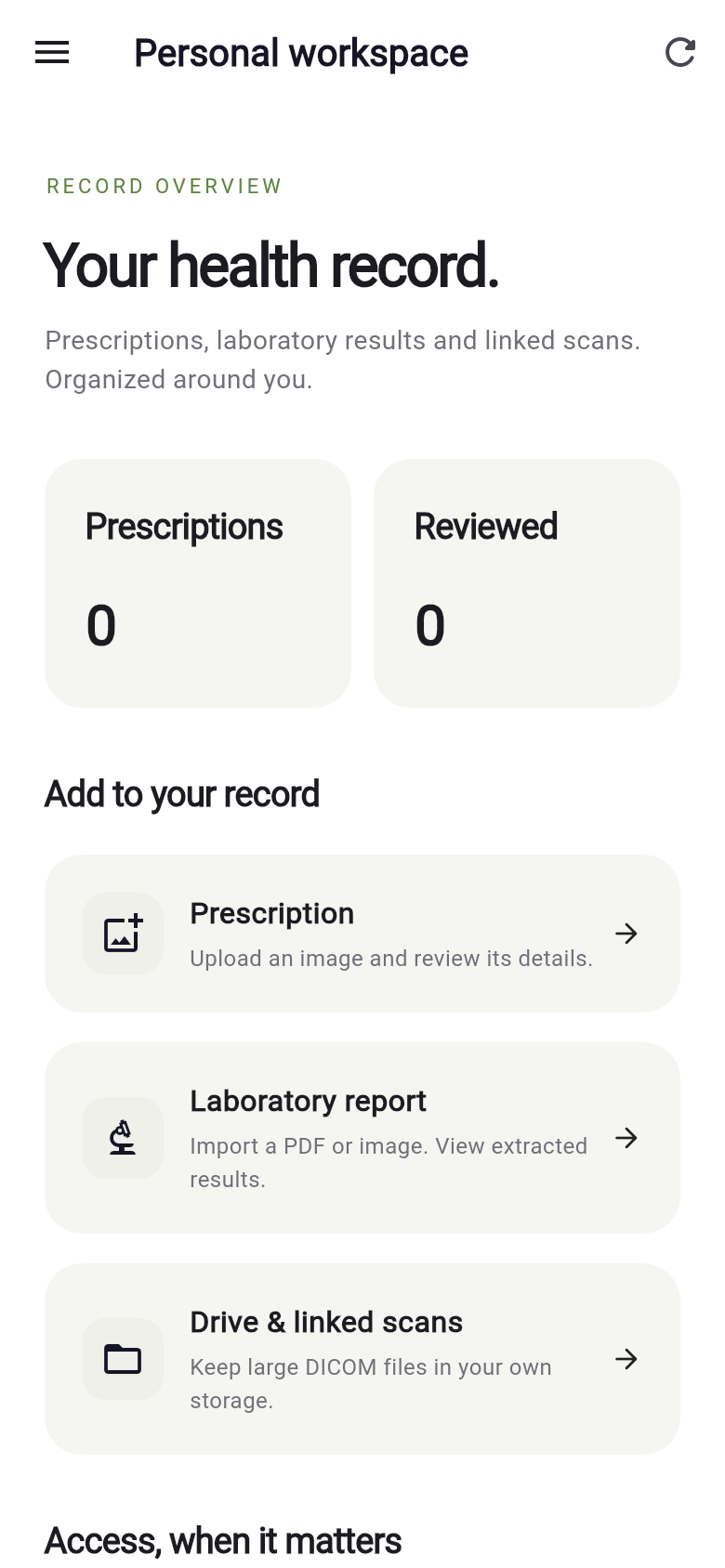
Actual app interface · empty-record preview · 0.2.1
The reason we built Kin
Paper prescriptions. Photos buried in a gallery. A medicine name you can’t quite remember. Medical information often lives in too many places.
Kin brings prescription records together, while keeping a clear boundary between your private history and the details you choose to share.
Context for a conversation with a clinician.
No diagnosis. No treatment recommendations.
From paper to permission
A small, deliberate workflow.
You stay in control at each step.
Import a prescription image or a laboratory PDF. Save private Drive and DICOM references without copying large files into Kin.
Lab PDF, JPEG or PNG · up to 5 MBGemma extracts a private draft. Lab values, printed ranges and flags remain tied to the source. Review every field before sharing.
Owner review is not clinical verificationPublish the medicines, allergies and notes you choose. Invite one Google account to a view-only snapshot, with revocation on the next request.
Originals and draft fields stay private
Actual app interface · Google account entry · 0.2.1
A boundary worth keeping
Sharing shouldn’t mean handing
over your entire medical history.
Original images, extraction drafts and full history stay separate from recipient responses. Server-side ownership checks enforce access.
Medical invitations bind to the invited account. Expiry and revocation are checked on every read. Contact cards and owner-enabled emergency medical QR links are intentionally public to their holders.
Revocation cannot erase a copy already made. Kin’s server and AI provider can process plaintext; we do not claim end-to-end encryption.
The project, in the open
Scope, architecture, demo flow and current release status.
↗02 / Source codeFlutter, TypeScript and PostgreSQL. Public source under the MIT license.
↗03 / For judges & mentorsThe problem, the product boundary and the demonstration plan.
↗Kin for Android
Download the current hackathon preview.
Try the workflow with fictional records.
For most recent Android phones.
Download ARM64 · 19.5 MB Previous hosted version · 0.1.3 ARM64 mirror ↗Older phone? Download ARMv7 · 17.0 MB ↗This signed build connects to hosted services. Live AI extraction has been checked with fictional prescriptions and a blood-report PDF. Google now opens its sign-in page correctly; completing login on a physical device remains pending.
Android may ask you to allow installation from your browser. Uninstall older debug-signed previews first. The signed 0.1.3, 0.1.4 and 0.2.0 hosted builds can update to 0.2.1. Removing an app clears its local data.
A few practical questions
No. Kin is a hackathon prototype. Use fictional records. Hosted authorization and live AI extraction checks have passed; The physical-device Google login walkthrough and production operational review remain incomplete.
No. All recipient routes open in a standard browser. Private invitations require the invited Google account. Contact cards and explicitly enabled emergency medical QR links require no login.
No. AI extracts private draft fields from prescriptions and laboratory reports. You review it against the original. Kin does not diagnose, predict health risks, check drug interactions or recommend treatment.
The 0.2.1 APK connects directly to hosted Supabase and the browser receiver. It needs an internet connection. Google sign-in is configured; the physical-device login walkthrough remains pending.
The service denies subsequent reads of a revoked medical invitation. A recipient may already have copied the information. Public contact cards and emergency medical QR links can also be revoked or rotated.
Direct public HTTPS report-file links can be imported. Dr Lal PathLabs requires a Lab/Visit ID and password: open its portal, download your report and import the PDF. Kin does not bypass logins or automatically access private Drive content.